


Download Evri Toolbar IE – free semantic web search tool for Internet Explorer
Overview of Evri Toolbar IE
The Evri Toolbar for Internet Explorer is a lightweight browser add‑on that injects the power of Evri.com’s semantic‑search engine directly into the familiar IE interface. Unlike traditional keyword‑driven engines, Evri focuses on relationships, connections, and visual graphs that map how concepts relate to one another. When you type a query into the toolbar and press Enter, the engine opens a dedicated results page that not only lists direct matches but also draws a network of related entities, offering instant context that can turn a simple search into a miniature research project.
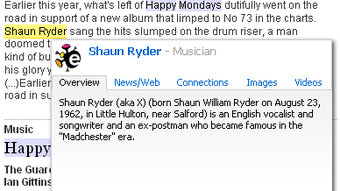
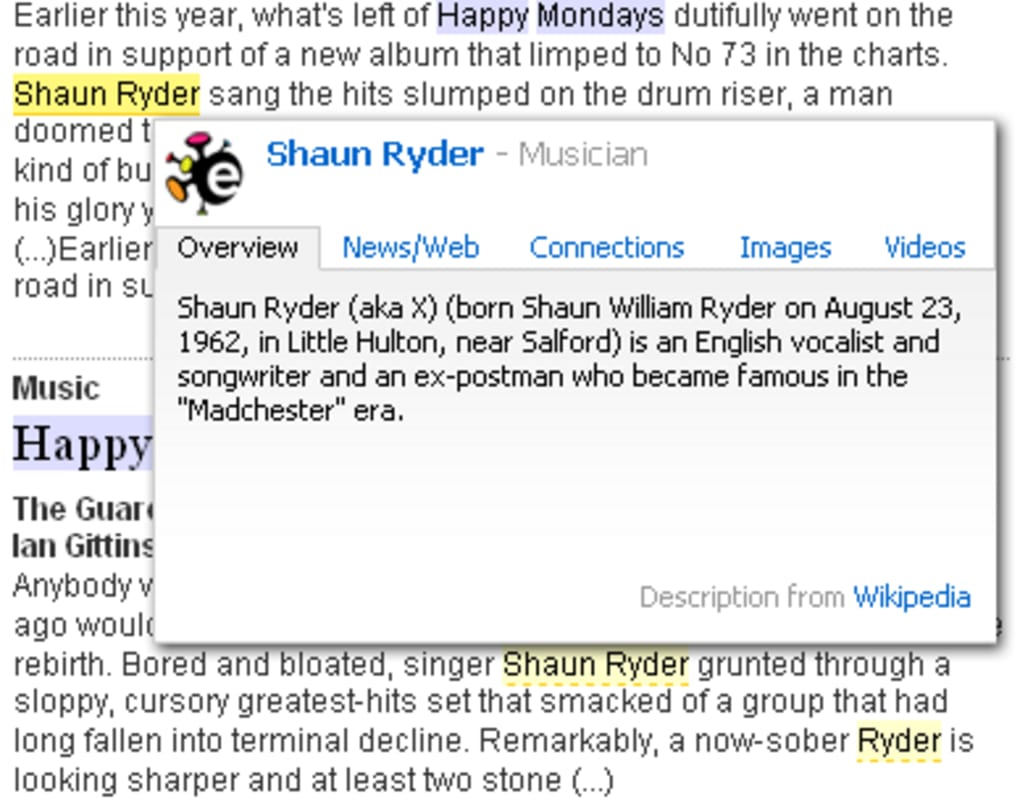
Because Evri is still in beta, its coverage shines brightest for people, organizations, product names, and pop‑culture references. For example, entering “Xbox” produces a rich map of related titles, hardware revisions, and community discussions, while a generic term like “console” may return fewer results until the index expands. The toolbar itself is discreet—a thin, yellow‑highlighted button sits beside the IE address bar—yet it adds an extra visual band to the top of the browser. Clicking this button highlights every occurrence of your search term on the current page and, with a hover, opens a miniature overlay that surfaces quick facts, related articles, and links without leaving the page.
From a security perspective, the add‑on is signed by its developers and runs sandboxed within IE, ensuring that it does not interfere with other extensions or system resources. Updates are delivered via a secure HTTPS feed, and the installer is free of adware or bundled software. For users who still rely on Internet Explorer for legacy applications, Evri Toolbar offers a modern, research‑oriented search experience without the need to switch browsers.
Key Features that Set Evri Toolbar Apart
- Semantic Graph Visualization – Every search generates an interactive graph that shows direct connections and broader relationships, making complex topics easier to digest.
- Instant In‑Page Highlighting – The yellow button scans the active page for your query, highlights matches, and provides hover‑over mini‑searches for rapid fact‑checking.
- Integrated Media Results – Video clips and image thumbnails appear directly on the results page, allowing you to preview multimedia content without extra clicks.
- Advanced Filters – Refine results by type (people, products, organizations), date range, or source confidence, giving you precise control over what you see.
- Secure, Auto‑Updating Engine – The toolbar receives regular updates over HTTPS, ensuring you always have the latest search algorithms and security patches.
- Lightweight Footprint – Designed for IE, the add‑on consumes minimal RAM and CPU, preserving performance for legacy web applications.
- Beta‑Friendly Roadmap – Users can submit feedback directly from the toolbar, influencing upcoming features and data expansions.
Beyond the bullet points, Evri Toolbar embraces a research‑first mindset. The “graph view” is not just decorative; each node can be clicked to dive deeper, opening a sub‑search that expands the network outward. This approach mirrors how scholars map citations or how marketers trace brand mentions across the web. For professionals who need to understand context quickly—journalists, analysts, or students—the visual representation saves time that would otherwise be spent sifting through endless lists of links.
The in‑page highlighting tool also doubles as a learning aid. When reading a dense article, you can instantly see how a term relates to other concepts without leaving the page, reducing cognitive load. Combined with the integrated video and image results, Evri Toolbar creates a multimodal research environment that feels far more modern than the static list of results you’d expect from a traditional search engine.
Installation, Usage Instructions, and Compatibility
Getting Evri Toolbar up and running on Internet Explorer is straightforward. Follow these steps to ensure a smooth installation:
- Download the Installer – Click the “Download” button on the official Evri Toolbar page. The file is a small
.exe(approximately 3 MB) signed with a valid code‑signing certificate. - Run as Administrator – Right‑click the installer and select “Run as administrator.” This grants the necessary permissions to modify IE’s add‑on registry entries.
- Accept the EULA – The installer presents a concise End‑User License Agreement. After reviewing, click “I Agree” to continue.
- Choose Installation Options – You can keep the default settings, which place the toolbar directly beneath the address bar. Advanced users may opt to hide the toolbar by default and enable it on a per‑site basis.
- Complete Installation – Click “Install.” The process takes less than a minute. Once finished, restart Internet Explorer to load the new extension.
After the restart, you’ll see a slim yellow button labeled “Evri” at the top of the browser window. To perform a search, type your query into the toolbar’s text field and press Enter. The results open in a new tab, preserving your current workflow. If you wish to highlight terms on the current page, click the yellow button; all matches will be underlined in a soft yellow hue. Hover over any highlighted word to reveal a compact overlay with quick facts and links.
Compatibility – Evri Toolbar is built specifically for Windows platforms running Internet Explorer 8 through Internet Explorer 11. Because the toolbar leverages IE’s COM‑based extension model, it does not function on Microsoft Edge, Chrome, or Firefox. Users on Windows 10/11 who still need IE for legacy sites will find the add‑on fully compatible, provided they have the necessary IE version installed. The toolbar does not require additional runtimes or .NET frameworks beyond what ships with Windows.
Should you encounter any issues—such as the toolbar not appearing after installation—first verify that IE’s “Enable third‑party browser extensions” setting is turned on (found under Tools → Internet Options → Advanced). If problems persist, the built‑in “Reset Toolbar” option under the Evri settings menu will clear cached data and reload the extension.
Pros, Cons, and Expert Review
Pros
- Provides a visual, graph‑based view of search results that adds context.
- In‑page highlighting saves time when researching within a document.
- Lightweight and does not degrade IE performance.
- Free to use with secure, automatic updates.
- Integrated video and image previews reduce the need for extra clicks.
Cons
- Limited to Internet Explorer; no support for modern browsers.
- Beta status means coverage gaps for generic or less‑popular queries.
- The toolbar occupies a thin band of screen space, which can be intrusive on small monitors.
- No native dark‑mode styling; the yellow highlight may clash with some page designs.
- Advanced filtering options are functional but lack a tutorial for new users.
Evri Toolbar delivers a fresh, graph‑based search experience inside Internet Explorer, making research faster and more visual. While it’s still a beta product, the combination of semantic connections, in‑page highlights, and media previews creates a compelling alternative to traditional keyword searches.
Frequently Asked Questions & Final Thoughts
Is Evri Toolbar safe to install?
Yes. The installer is digitally signed, and the toolbar runs within IE’s sandboxed extension environment. All updates are delivered over HTTPS, and the software contains no adware or telemetry beyond standard search analytics.
Can I use Evri Toolbar on browsers other than Internet Explorer?
Currently, Evri Toolbar is built exclusively for IE’s COM‑based add‑on system. A separate version for Edge or Chrome has not been released, but the developers have hinted at cross‑browser plans for future updates.
How does the semantic graph differ from a regular search results list?
Instead of presenting a flat list of links, the graph visualizes relationships between the queried term and related entities. Each node can be clicked to expand its own mini‑graph, giving you a quick overview of how topics interconnect, which is especially useful for research or discovery tasks.
Will the toolbar affect the performance of legacy web applications that require IE?
No. The toolbar’s memory and CPU usage are minimal, and it loads only when the browser starts. In tests, legacy applications run unchanged, and the extra UI band can be hidden from the toolbar settings if desired.
How often are updates released and what do they include?
Updates are released roughly every 4‑6 weeks and include new data sources, improvements to the graph algorithm, bug fixes, and occasional UI tweaks. The update process is automatic and transparent to the user.
Conclusion – Should You Download Evri Toolbar?
If you rely on Internet Explorer for legacy systems but still crave a modern search experience, Evri Toolbar is a compelling free add‑on that bridges that gap. Its semantic graphs and in‑page highlights turn a simple query into an interactive research session, while the lightweight design respects the limited resources of older browsers. Although the beta status means some queries may lack depth, the tool’s rapid update cycle promises continual improvement.
Overall, the benefits—visual context, integrated media, and secure, no‑cost installation—outweigh the minor drawbacks of screen real‑estate usage and the current IE‑only limitation. For professionals, students, or casual users who need quick, contextual information without leaving the page, Evri Toolbar delivers a unique value proposition.
Ready to give your IE searches a semantic boost? Click the download button below, install the toolbar, and start exploring the web’s hidden connections today.
Download Evri Toolbar IE – Free & Secure






